


VTuberCam: A 3D Avatar Webcam for Meetings
Native macOS app (Swift, SceneKit, Metal, Vision) that turns your webcam into a rigged 3D avatar and sends it to Slack, Teams or Meet as a camera.
Personal project · 2026 · Runs fully on-device, no video leaves the Mac · Source not published yet.
At a Glance
| Aspect | Detail |
|---|---|
| Problem | Wanting to appear as a 3D avatar in Slack huddles and Teams meetings without sending video to a cloud service. |
| Solution | A local app that tracks your head, face, arms and fingers and drives any rigged 3D model in real time. |
| Performance | 30 fps output at 1280x720 with 2x supersampling. About 6 ms per frame on an M4. |
| Privacy | All tracking runs locally. Nothing is uploaded. |
| Skills shown | Real-time computer vision, 3D rendering, kinematics (IK), macOS system integration, signal smoothing, product UX. |
What It Does
- Face and head tracking with Google MediaPipe Face Landmarker: 3D head pose and 52 ARKit-style expressions, with Apple Vision as a built-in fallback.
- Arms, hands and fingers for rigged models. A visible hand is placed relative to your face (depth from its apparent size), and the arm reaches it with two-bone IK, so a blown kiss really reaches the mouth. MediaPipe Hands drives every finger.
- Works with models it has never seen. Bones are matched by name across common rig standards, and when names are anonymised the skeleton is inferred from its shape.
- Generated mouth. For models with no mouth shapes, the app builds its own mouth-open blend shape from the cut between the lips.
- Scene controls: framing, orbit view, lighting, picture or green-screen background, and an office-chair or couch seat the avatar sits on.
- Guided calibration and a live tracking tuner so each person can map their own reach and posture onto the avatar.
How It Works
- Tracking pipeline. Apple Vision finds the face at any size, and only a full-resolution crop goes to MediaPipe running as a local helper process, which gives far more detail than a downscaled frame (about 5 to 11 ms per frame).
- Pose solver. Calibration, manual tuning, mapping into the avatar's frame and One Euro smoothing, so movement is steady without feeling laggy.
- Rendering. Offscreen SceneKit and Metal rendering into IOSurface pixel buffers, with the background composited behind the scene while downsampling.
- Output. Frames go to meetings through the OBS virtual camera (no extra setup beyond OBS's one-time install), or through a native Core Media I/O camera extension.
Engineering Highlights
- Rig-independent animation. The same solver drives models from Mixamo, VRM, Unreal, Rigify and others, because bone rotation is applied in the avatar's own frame instead of per-rig names.
- Geometry-based fallbacks. Face bones, legs and the neck are found from where they sit in the mesh, so converted or game-ripped models still work.
- Noise handling for hands. A hand reported twice counts once, joints outside the picture are ignored, and finger joints only bend in their curl direction, so jitter doesn't kink fingers sideways.
- Built-in diagnostics. Command-line tools inspect a model's bones, render a posed frame to a PNG with timing, and test the MediaPipe helper end to end, all without a camera.
Screenshots
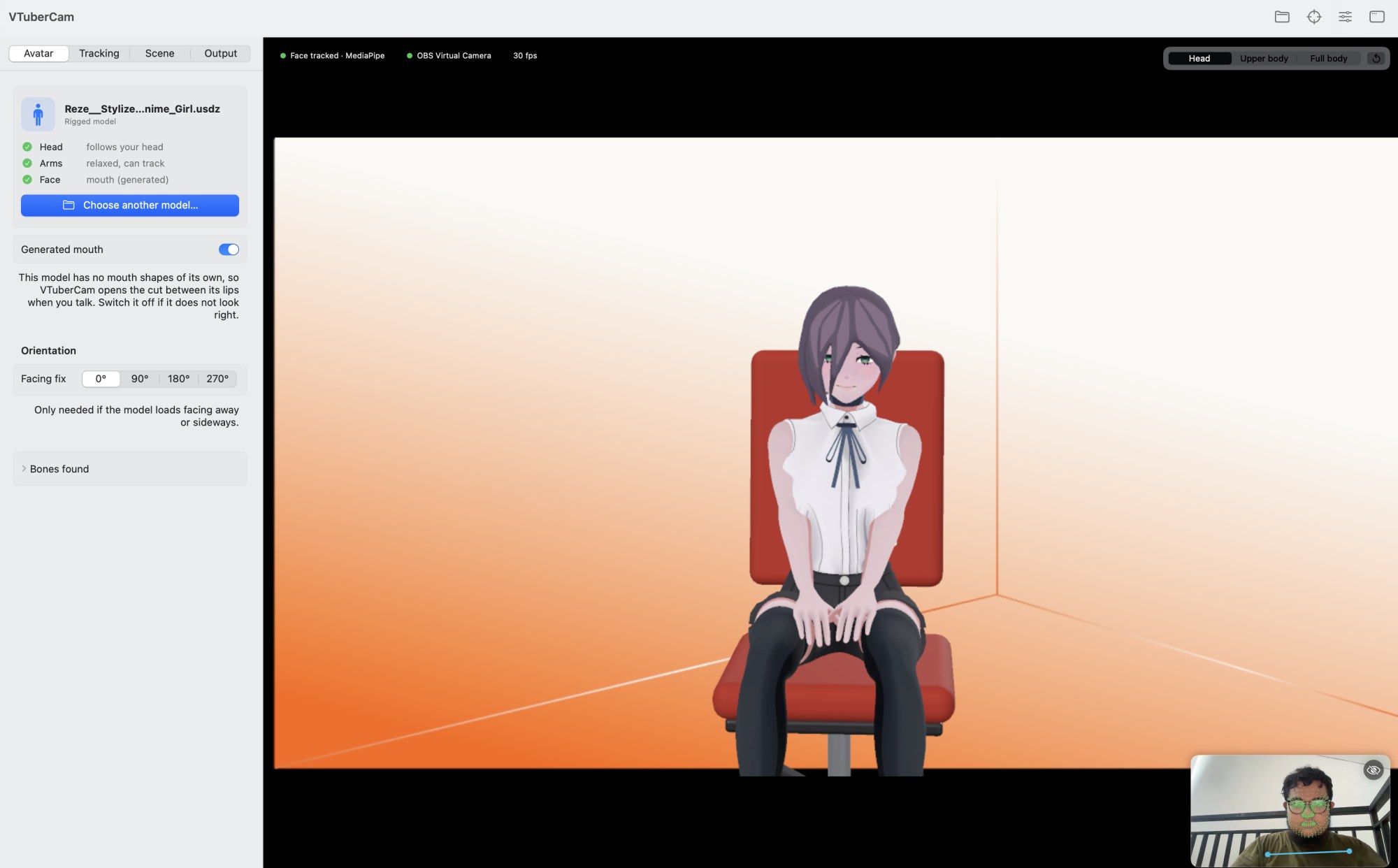
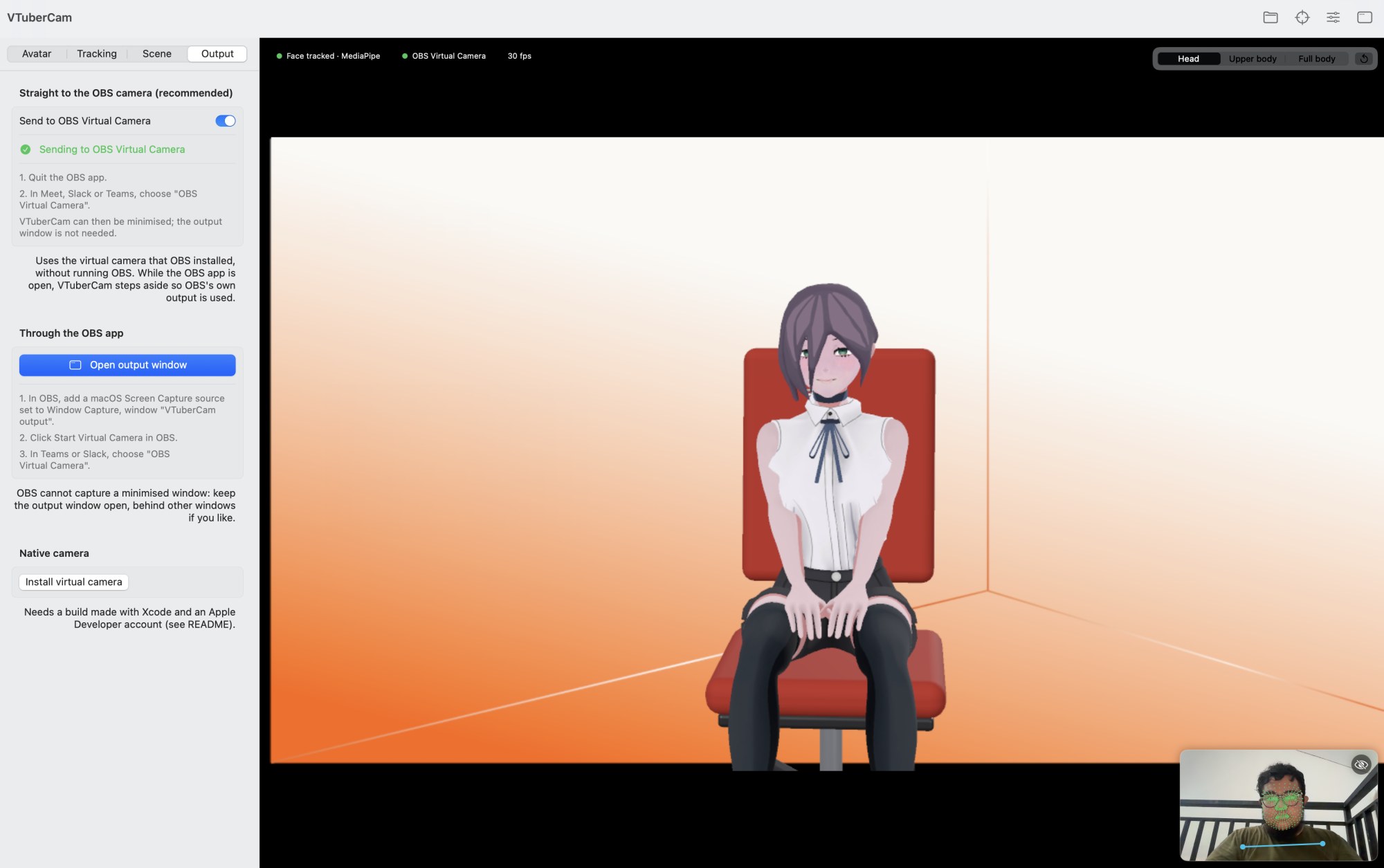
Avatar seated in the scene with live face tracking. The inset shows the camera feed and tracked landmarks:
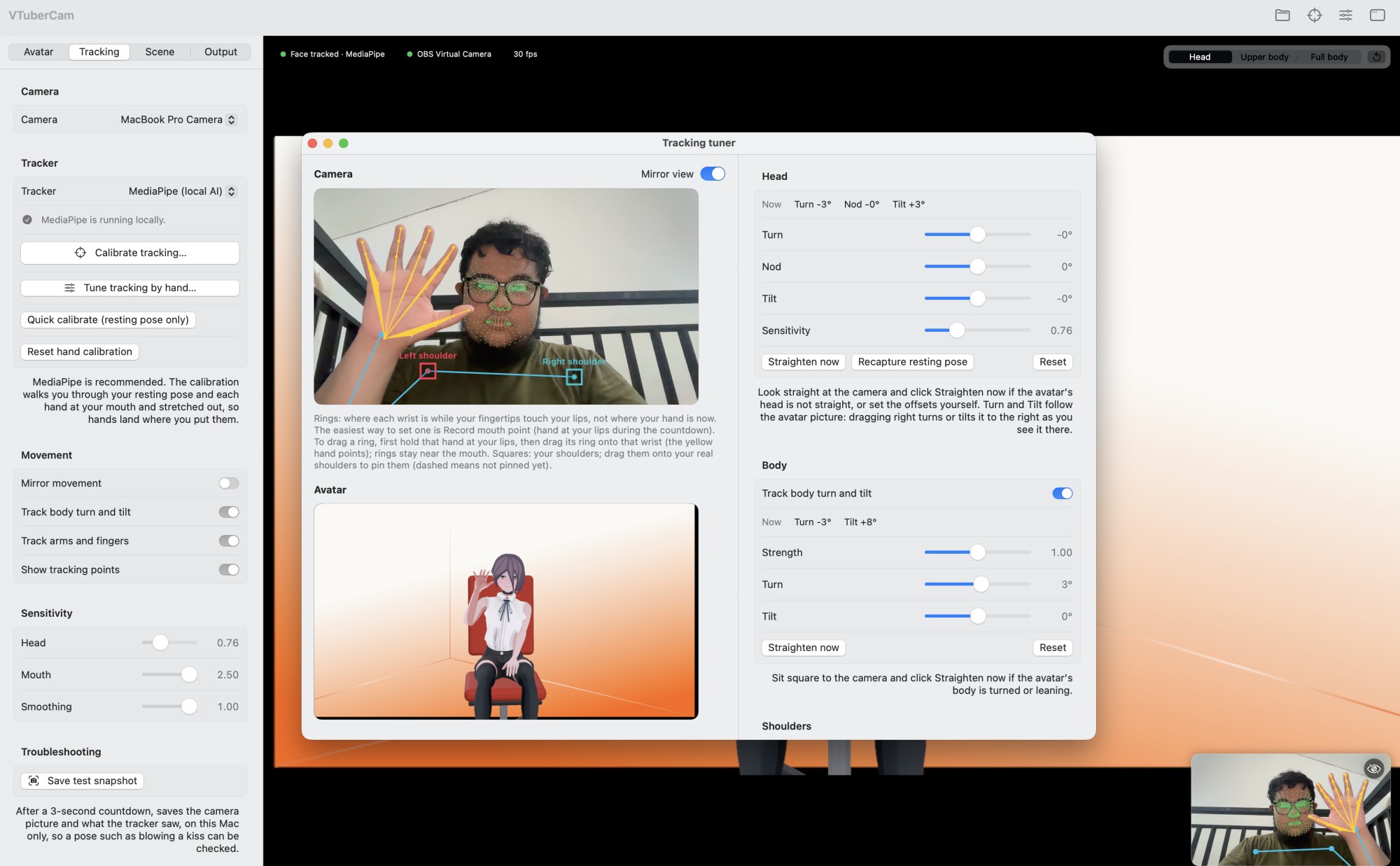
Tracking tuner with hand tracking: yellow hand joints from the camera drive the avatar's raised hand, with live head and body angles:
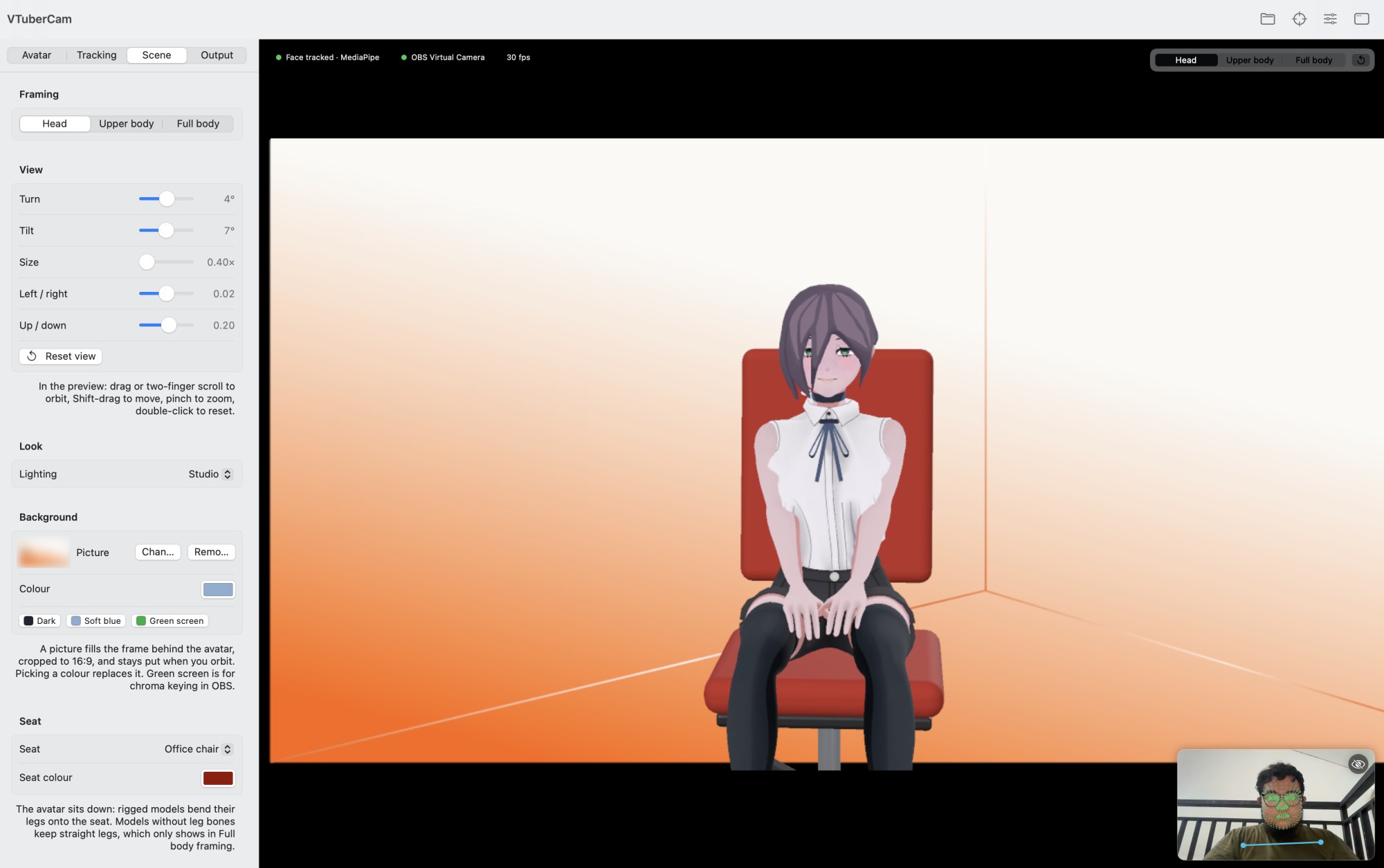
Scene controls: framing, view, lighting, background and seat:
Output options: straight to the OBS virtual camera, through the OBS app, or as a native camera:
Status
Working end to end with the OBS virtual camera on Apple silicon. The native camera extension compiles but needs an Apple Developer signing identity to run, so it hasn't been exercised end to end yet. The source repository isn't public yet.