

Console OS: An Operating-System Desktop for My Own Projects
The admin console of my platform, rebuilt as a desktop: floating windows, a dock, a menu bar, and a WebGL genie effect. On a phone it becomes an Android-style launcher.
Personal project · 2026 · React, TypeScript, Vite, Cloudflare Workers · The console is private (sign-in required).
At a Glance
| Aspect | Detail |
|---|---|
| Problem | A side navigation fits one admin screen, but not a console that runs several apps and tools at once and is opened on both a desktop and a phone. |
| Solution | Treat the console as an operating system for my projects: every application is a window, switched from a dock and an app drawer. |
| Layouts | Desktop with floating windows; phone launcher; the original classic layout stays one click away. |
| Quality | Pure window logic with 40 unit tests, strict TypeScript, linted and built in CI on every pull request. |
| Skills shown | Interaction design, state management, WebGL, CSS animation, responsive design, performance trade-offs. |
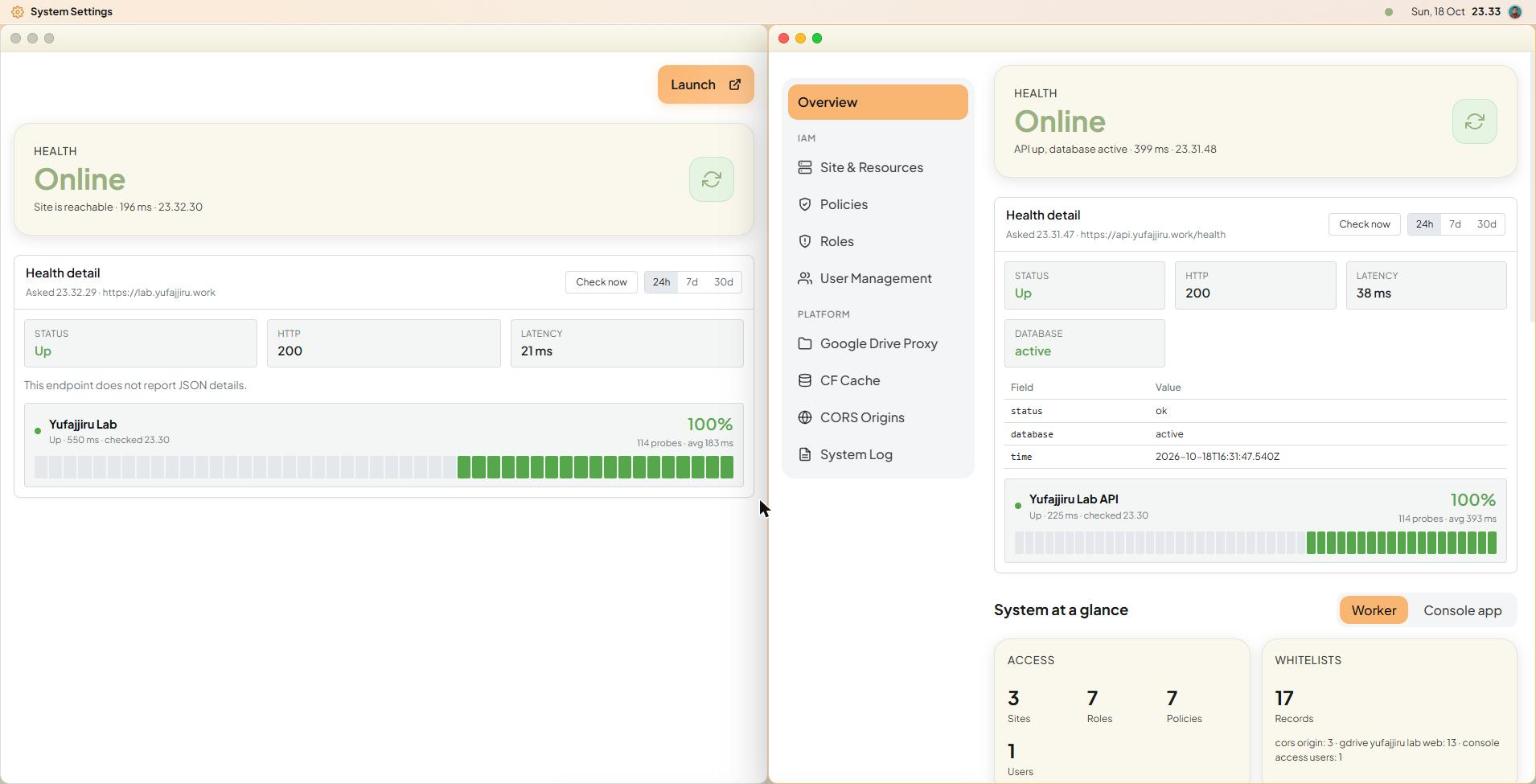
The desktop: two applications tiled side by side, the menu bar on top, the dock hidden below the screen edge. Windows use the whole screen.
What It Does
- Floating windows: drag, resize from eight handles, snap to a screen edge, minimise, maximise. One window per application, and an application inside a window adapts to the window's width, not the screen's.
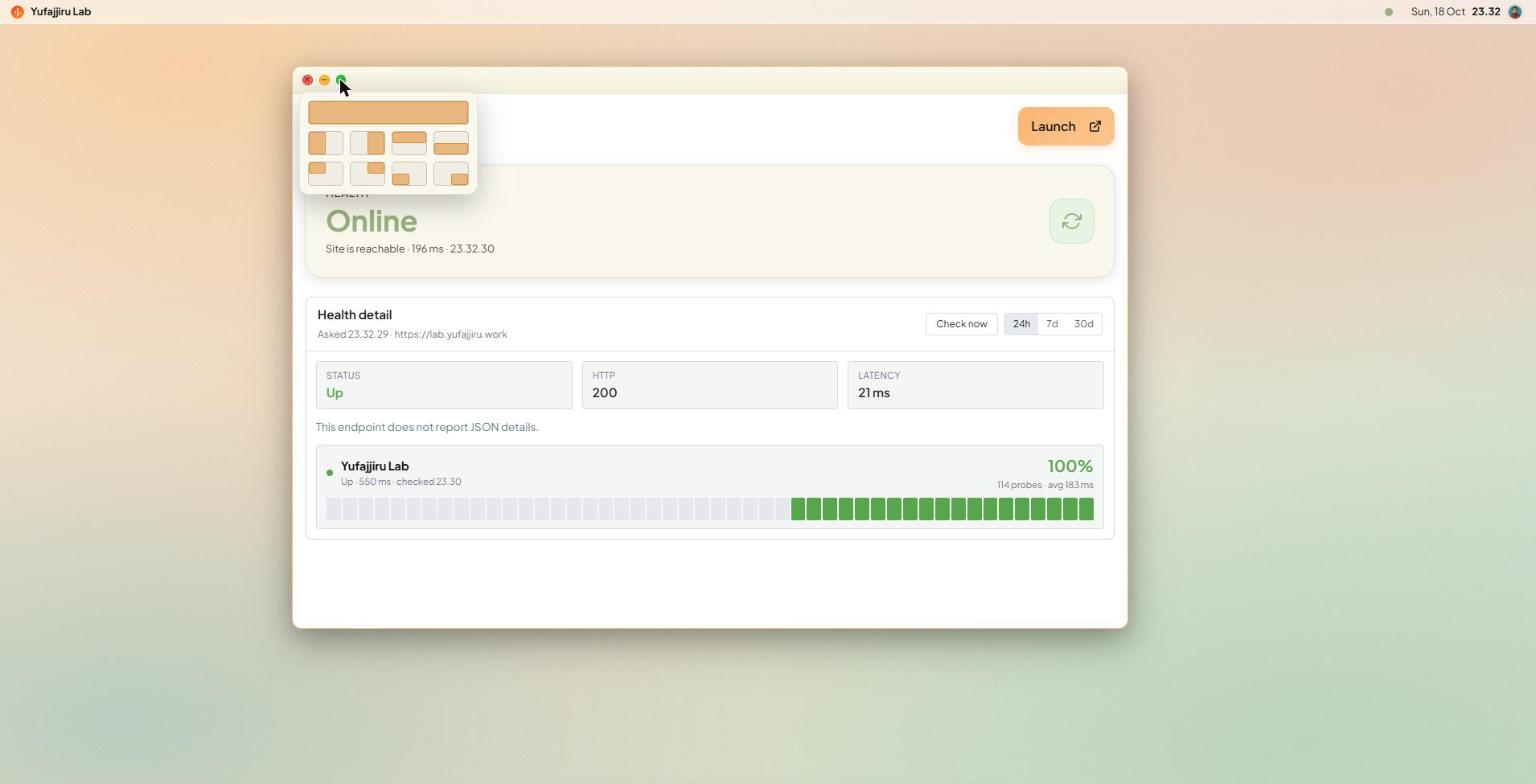
- Window layouts: hovering the green traffic light opens a popover with the whole screen, four halves and four quarters, like macOS. A window in a layout follows the screen when the browser is resized.
- Auto-hide dock: slides up when the pointer touches the bottom edge. Pinned applications, a dot for what is open, dimmed icons for minimised windows, and a tooltip with the application's name and description (hover, keyboard focus, or a long press on touch).
- Menu bar: the icon and name of the window in front on the left; API health, the clock and the account on the right. Clicking the clock drops a panel with the greeting, account actions and the uptime of every service.
- App drawer and search:
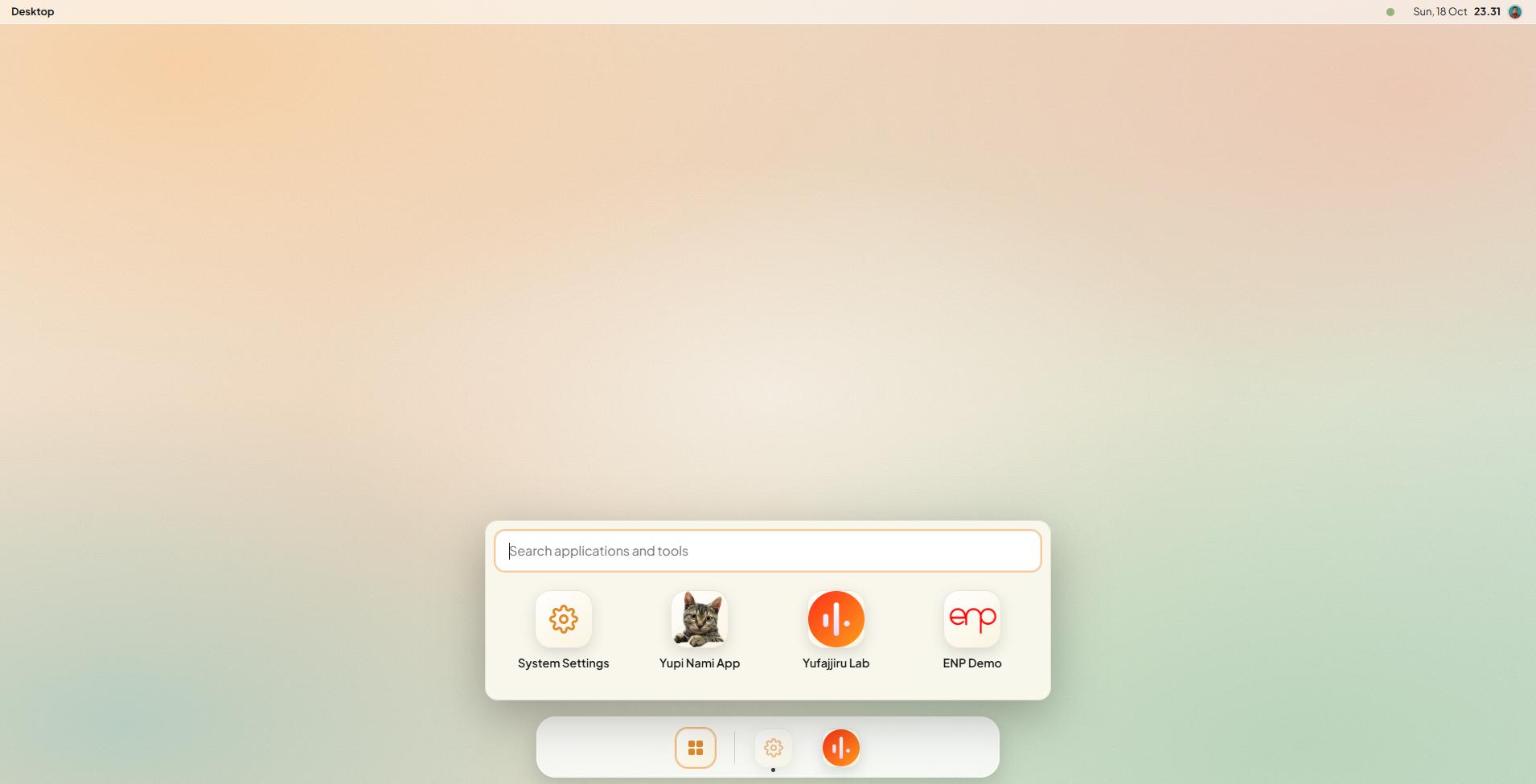
Ctrl+Kopens a grid of the applications and a search across every application and tool. - Phone launcher: the same windows shown the way a phone launcher does, with a home screen of icons, one full-screen application at a time, a back/home/recents bar and a recents switcher.
- Installable: the console is a PWA, so it can be installed as an app from the account menus.
The app drawer: every application, with a search across applications and tools.
The layout popover on the green traffic light: fill, halves and quarters.
The genie, minimising a window into the dock and back, at the speed of the real thing (about half a second each way). It is a 60 fps video of 32 frames captured with the animation held at exact points; the live effect is drawn by WebGL every frame, so it is smoother still. It runs smoothly because only the mesh vertices change each frame.
On an Android tablet: the same desktop shell on touch. Apps open from the drawer, the dock slides up from a handle at the bottom edge, and windows tile side by side. The window layouts open with a long press on the green light, since a finger cannot hover.
On a phone the same shell becomes a launcher: a home screen of app icons with the uptime widget, one application full screen at a time, a back, home and recents bar, a recents switcher, and the installed app opening from its own splash screen.
Observability Built Into the Console
The console is also where I watch the platform, so it carries a small logging stack of its own that fits the free tier of Cloudflare Workers and D1. The screenshots below use invented sample rows, not real traffic.
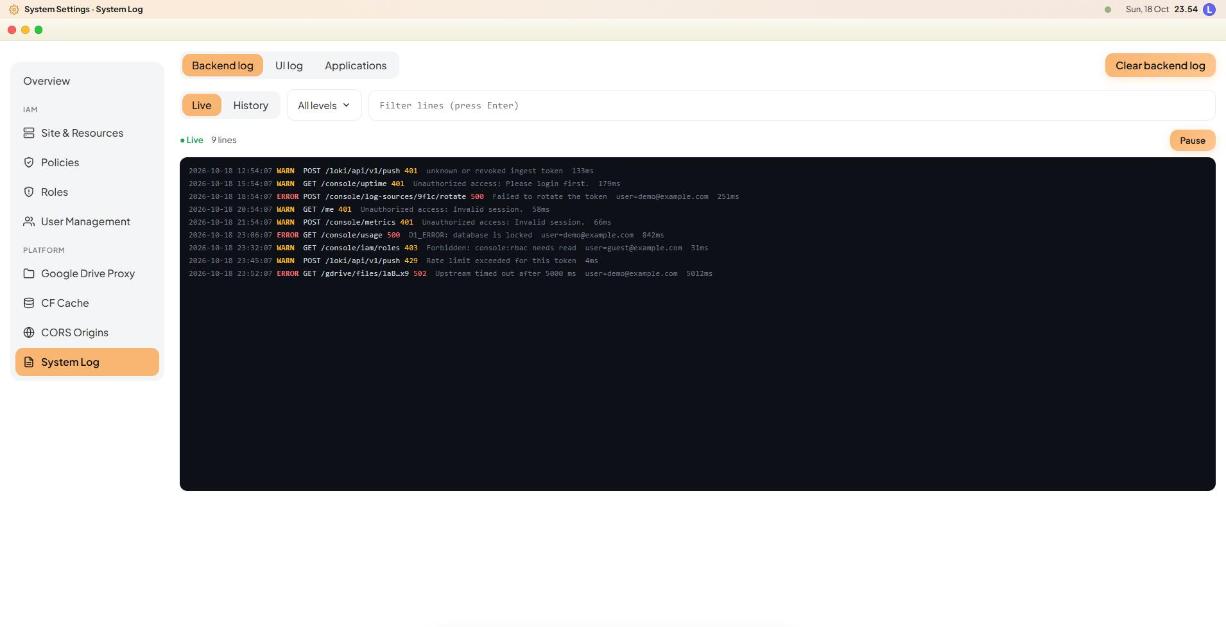
- Backend log: warnings and errors from the API with a live tail, history paging, a level filter, text search and a volume chart.
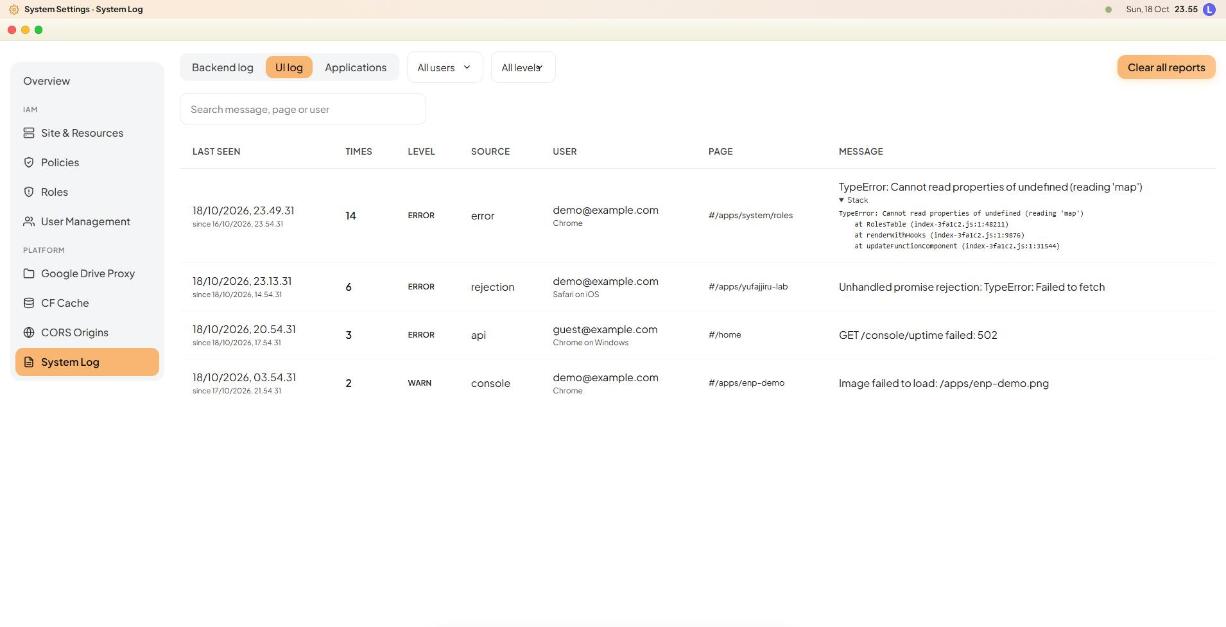
- UI log, like Sentry: uncaught errors, unhandled promise rejections and failed requests are captured in the browser and reported to the API. They are grouped by a fingerprint, so one bug that happens 14 times is one row with a count and its first and last time, plus the stack trace and the page and browser it came from.
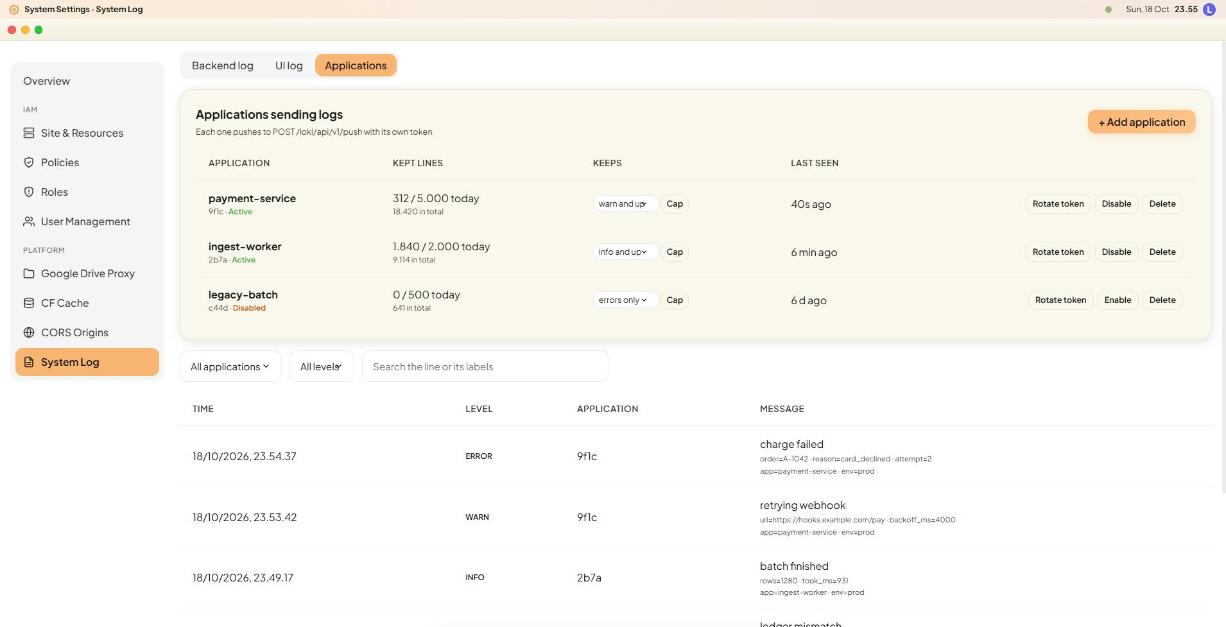
- Loki-compatible ingest: any application can push logs to
POST /loki/api/v1/pushwith its own token, so a Go service using a standard Loki client works without changes. Each application has its own token (shown once, stored only as a hash) that can be rotated, a minimum level, a daily line cap and a rate limit. A whole push is stored as one row, which keeps the number of database writes low.
Backend log: live tail of warnings and errors from the API.
UI log: browser errors grouped by fingerprint, with counts and a stack trace.
Applications: each one pushes to the Loki endpoint with its own token, level and daily cap.
Staying inside the free tier
D1's free plan allows 100,000 row writes a day, and index entries and deletes count too. So the console aggregates request metrics in memory and flushes them once a minute, rolls minutes into hours and days, keeps uptime probes (a 5-minute cron) as daily summaries plus incidents, and runs one daily maintenance job that prunes old rows. A usage card shows table sizes and an estimate of today's writes.
Key Engineering Decisions
1. A pure window model, tested on its own
All window behaviour lives in functions that take a state and return a new one: opening, focusing, minimising, maximising, snapping, restoring saved windows. They never touch the DOM, so they are covered by unit tests (including snapping to halves and quarters, and a window in a layout following a resized screen). A small external store exposes the state through useSyncExternalStore and saves it, debounced, to localStorage, so windows come back after a reload.
2. One route per window
The console already had a router. Rather than rewriting every screen, each window gets its own route context, and the screens keep reading "the current route" as before. Several windows can show different tools, or the same tool at different items, at the same time, and the address bar follows the window in front, so existing links keep working.
3. A genie that stays smooth: WebGL for the effect, CSS as the fallback
macOS bends a window into its dock icon line by line, which CSS transforms cannot do. The console draws it with WebGL:
- A page-wide canvas draws the window as a 48-row mesh. For every frame the rows are pulled toward the dock icon, the bottom rows first, so the shape narrows into a neck. The row math is a small pure function with unit tests.
- A WebGL canvas cannot read the live page, so the mesh is textured with a stand-in for the window (its title bar and a hint of page) drawn on a 2D canvas in a few milliseconds. I first tried taking a real picture of the page with
html-to-image: it took several seconds on a page this size, so the stand-in is the trade-off that keeps the click instant. - Without WebGL, with
prefers-reduced-motion, or without a dock icon to aim at, a CSS animation plays instead. It animatestransformandopacityonly, so the browser can run it on the GPU without repainting the application inside. - Windows restored when the shell loads (a reload, a link, switching layouts) simply appear: only windows opened afterwards animate.
4. Performance details that mattered
- Animating
clip-pathrepainted the whole application on every frame and stuttered; moving to transform and opacity fixed it. - A
backdrop-filterblur under a moving window was re-rendered each frame, so the dock and cards use a solid translucent background instead.
5. One shell, two layouts
The phone launcher and the desktop share the same window store, the same application list and the same search. Only the presentation differs, and the original classic layout remains as an escape hatch.
Stack
- Frontend: React 19, TypeScript, Vite, hand-written CSS (container queries for windows).
- Rendering: WebGL 1 for the genie, with a CSS fallback.
- Hosting: Cloudflare Workers static assets; API on a separate Cloudflare Worker with D1.
- Quality: Vitest, ESLint,
tsc -b, GitHub Actions on every pull request.